
Appearance
Deals
Deals are Pulse's CRM pipeline and opportunities, raised against an Account and optionally tied to a Contact. A deal carries its own line items, pricing, and contact-role assignments, and a won deal moves forward into a Sales Order.
In this section
- Create a Deal — the New Deal form, section by section
- Deal Details — the detail view, line items, and contact roles
- Field Reference — every field, limit, and validation rule
What you can do
| Action | Where |
|---|---|
| Browse the list | Deals list |
| Search by name | Search box above the table |
| Narrow the list by any field | Filter |
| Add a deal | Create Deals |
| Open a deal's full record | Click the deal name |
| Edit, export, or review history | Deal detail page |
| Assign contacts with specific roles | Deal detail page → Assign Contact |
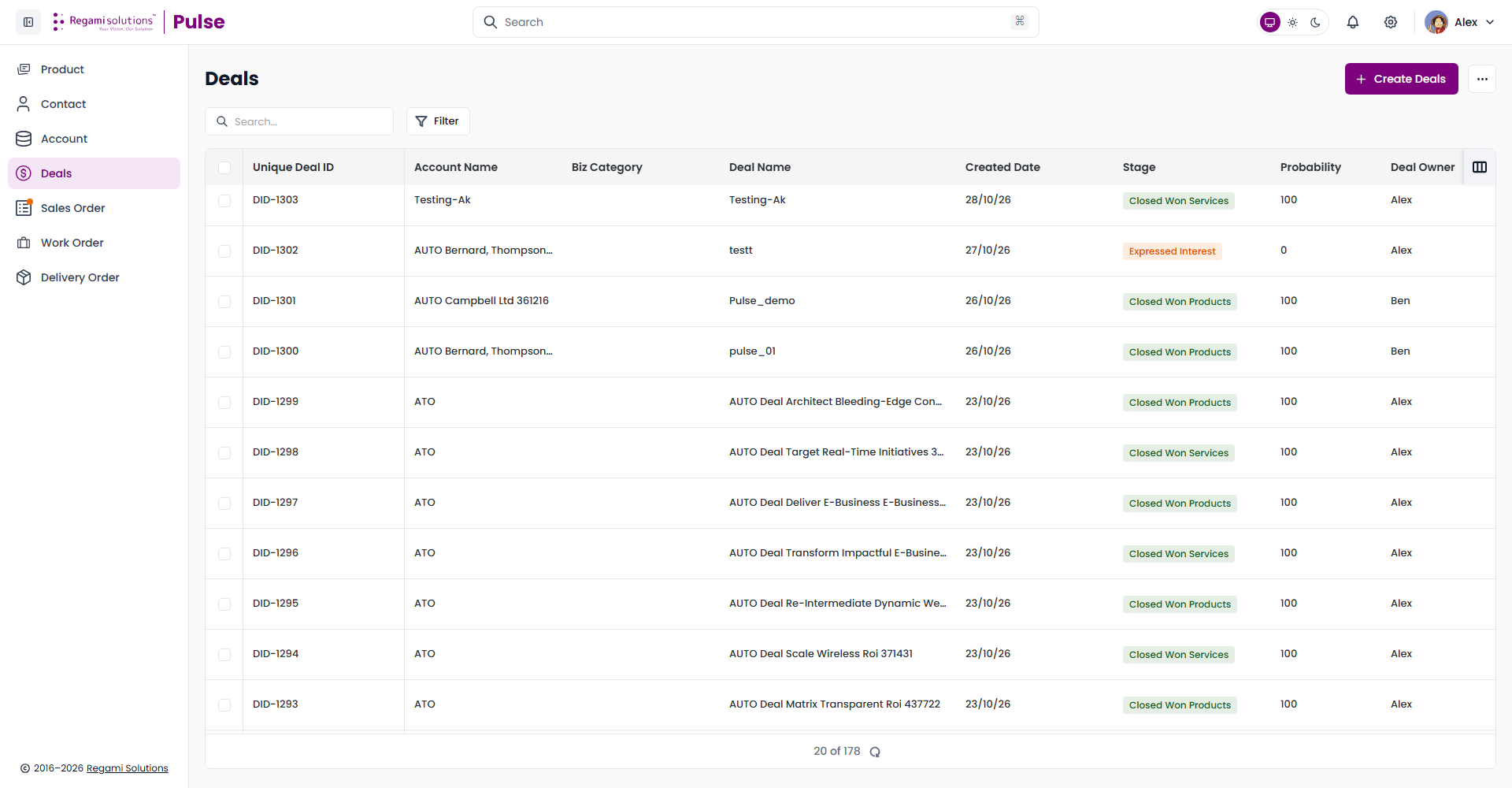
The Deals list
Each row is one deal, identified by an auto-generated Unique Deal ID (DID-####).
| Column | Shows |
|---|---|
| Unique Deal ID | Auto-generated identifier |
| Account Name | The account this deal is raised against |
| Biz Category | Samples, Proto Order, Mass Production, Services, or a license type |
| Deal Name | Click to open the record |
| Created Date | When the deal was added |
| Stage | Where this deal sits in the pipeline — see Field Reference for the full list |
| Probability | The likelihood of closing, as a percentage |
| Deal Owner | The Pulse user who owns this deal |
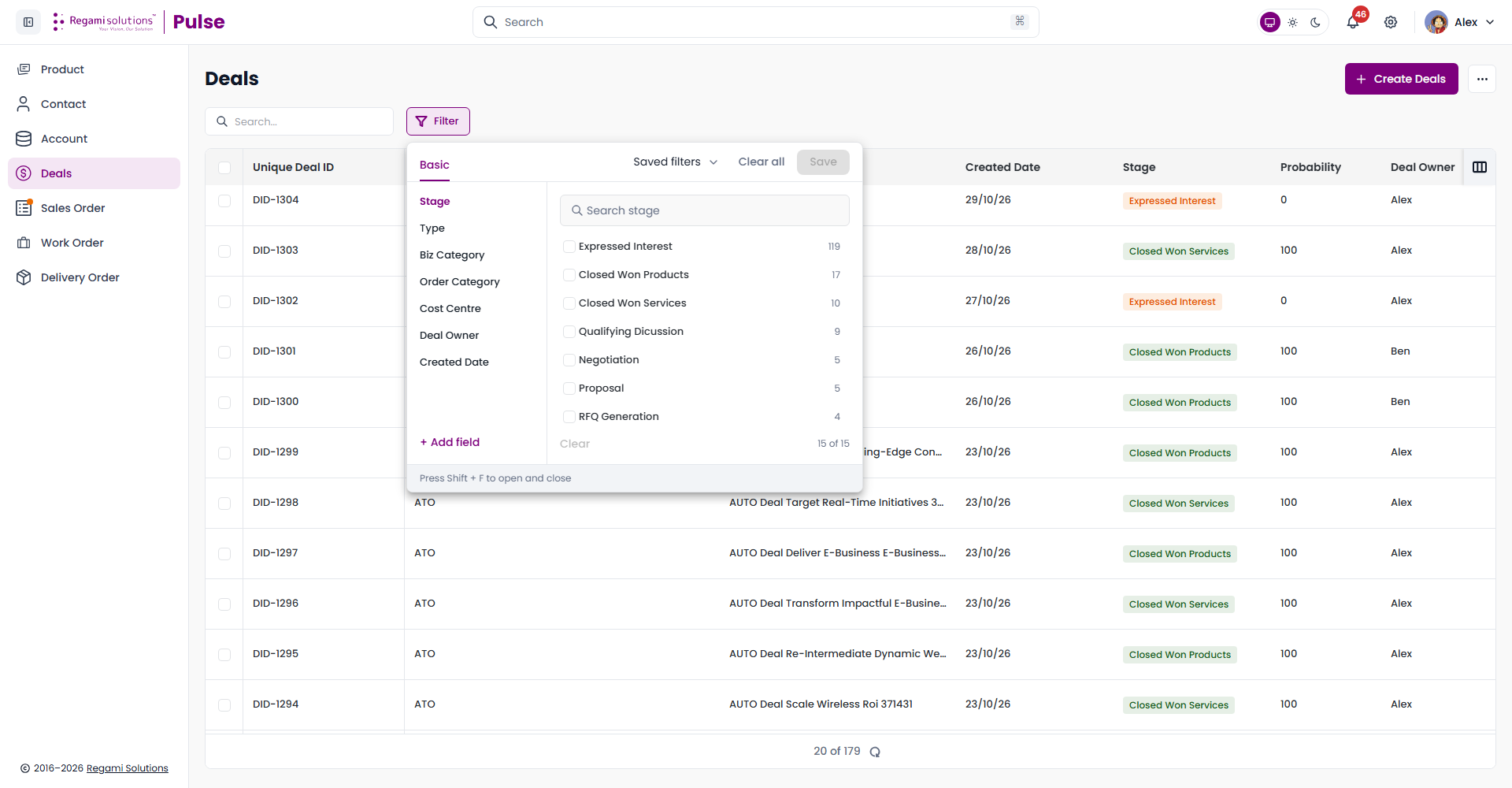
Filter
Filter opens a facet panel keyed to Stage, Type, Biz Category, Order Category, Cost Centre, Deal Owner, Created Date, or any field you add with + Add field. Each stage shows how many deals currently sit in it.
The pipeline
A deal moves through a fixed sequence of stages, from first interest through to a won or lost outcome — Expressed Interest, Qualifying Discussion, RFQ Generation, EQ Round Completion, Value Building, Solution Plan Presentation, Proposal, Customer Proposal Review, Negotiation, Proposal Acceptance, Vendor Registration & Audit, PO Under Process, and then one of Closed Won Services, Closed Won Products, Closed Lost, Closed-Lost to Competition, Closed - Duplicate, or Refunded.
Where Deals sits in the flow
A deal is raised against an account and carries its own line items — products, quantities, and pricing — the same way a Sales Order will. Contact Roles Mapping lets you assign more than one contact to a deal, each with a specific role (Decision Maker, Economic Decision Maker, Executive Sponsor, Engineering Lead, Developer/Evaluator, Product Management, or Purchasing), so everyone involved on the customer side is on record, not just a single primary contact.
TIP
Because every downstream document references the deal's line items at the time it was raised, see Deal Details for how pricing and totals are shown.
Related
- Create a Deal — fill in the New Deal form correctly first time
- Field Reference — every validation rule in one table
- Accounts — the record every deal is raised against
- Sales Orders — what a won deal becomes